
6 Beginner Mistakes People Make When Coding With AI
Most beginner frustration with AI coding comes from moving too fast without enough structure. Here are six common mistakes and how to avoid them.
By Robert Furman · 24 May 2026
The first time AI helps you build something, it can feel like a door has opened.
You describe an idea. A page appears. A button works. A form starts to take shape. Something that felt technical and distant suddenly feels possible.
That is a good thing.
AI can make coding more accessible for complete beginners, non-technical founders, small business owners and practical builders. Conversational assistants like ChatGPT and Claude can explain, plan, debug and generate code. AI-assisted coding tools and development environments can help people create pages, components, forms and early project structures more quickly than before.
But faster does not always mean easier.
Most beginner frustration does not come from being incapable. It usually comes from moving too quickly without enough structure.
The code appears before the learner understands where it belongs. A fix is pasted before the error is understood. A full product is attempted before the first useful version has been tested.
These are not intelligence problems. They are workflow problems.
The good news is that workflow can be learned.
Here are six common mistakes people make when coding with AI, and how to avoid them.
Mistake 1: Asking vague questions
A lot of beginners start with prompts like:
Build me an app.
Or:
Fix this.
Or:
Make this look better.
These are natural requests. If you are new to coding, you may not know what details the AI needs. You know the result you want, but not the technical context behind it.
The problem is that vague questions force the AI to guess.
It may guess:
- What framework you are using.
- Where the code should go.
- What files already exist.
- What the error means.
- Whether you want a full rewrite or a small fix.
- Whether the project already has styling, routing or data set up.
Sometimes the guess is close enough. Sometimes it creates more confusion.
A better prompt gives context.
Instead of:
Fix this.
Try:
I am building a simple contact page in a beginner Next.js project. After adding a form component, I now see this error in the terminal. Please explain what the error means first, then suggest the smallest change to test.
That prompt does three useful things.
It explains the project. It explains what changed. It asks for explanation before action.
You do not need to become a perfect prompt writer. You only need to get into the habit of giving the AI enough context to help you with the next small step.
A simple structure is:
- What are you building?
- What file or feature are you working on?
- What changed recently?
- What happened when you tested it?
- Do you want an explanation, a plan or a code change?
AI is usually more helpful when the request is small, clear and connected to the actual project.
Mistake 2: Copying code without understanding the change
The second mistake is pasting code before understanding what it changes.
This is easy to do.
The AI gives you a neat-looking block of code. It sounds confident. You paste it into your file, save, refresh the browser and hope.
Sometimes it works.
Sometimes it breaks something else.
The issue is not that AI-generated code should never be used. The issue is that beginners often accept the output without knowing:
- Which file it belongs in.
- Whether it replaces code or adds to it.
- Whether it needs imports.
- Whether it changes data flow.
- Whether it depends on another package.
- How to test it properly.
When you are learning, you do not need to understand every line straight away. But you should understand the purpose of the change.
Before pasting, ask the AI:
Explain this change in plain English. Which file should it go in, what does it replace, and how should I test that it worked?
This small pause builds understanding.
It also helps you avoid a common beginner trap: adding code on top of code until the project becomes hard to reason about.
A useful habit is to treat every AI suggestion as a draft.
Not wrong. Not automatically right. A draft.
Your job is to inspect it, apply it carefully and test the result.
That is how AI becomes a coding partner instead of a code vending machine.
Mistake 3: Trying to build the full product first
Beginners often ask AI to build the whole idea too early.
This is especially common for founders and small business owners.
You can see the full product in your head. It might include accounts, payments, dashboards, email notifications, admin tools, search, filters, bookings, user profiles and automations.
So you ask AI to build all of it.
The output may look impressive at first. Files are created. Screens appear. The project feels bigger.
But bigger is not always better.
When you build too much too soon, the project can quickly become difficult to understand. One error may be connected to five different parts of the system. A small design change may affect several files. A simple user flow may be buried under features that do not need to exist yet.
The better starting point is the smallest useful version.
Ask:
- What is the first real problem this project solves?
- What is the simplest version someone could actually use?
- What can stay manual for now?
- What can be added later?
- What do I need to test before building more?
For example, instead of asking AI for a complete booking platform, start with a simple enquiry form and a basic way to view submissions.
Instead of asking for a full dashboard, start with one page that shows the most important information.
Instead of asking for payments, accounts and permissions in one step, ask whether the first version even needs all three.
Small does not mean weak.
Small means testable.
A small version helps you learn faster because you can understand what changed, test whether it works and improve it without losing control of the project.
This is one of the most important lessons in coding with AI for beginners: AI is strongest when the next step is focused.
Mistake 4: Ignoring error messages
The fourth mistake is treating errors as proof that you are not technical enough.
This is where many beginners lose confidence.
A page breaks. The terminal shows red text. The browser displays an error. The message looks too long, too technical or too unfamiliar.
The beginner thinks:
I am not cut out for this.
But an error message is not a judgement.
It is information.
It is the project telling you that something expected is missing, mismatched, unavailable or incorrectly connected.
You do not need to understand the whole message at once. Start by looking for clues.
Useful clues include:
- A file name.
- A line number.
- A missing import.
- A missing package.
- A spelling mismatch.
- A component name.
- A route or page path.
- A phrase that repeats.
Then connect the error to the last change you made.
Ask:
- Was the project working before this change?
- What file did I edit?
- Did I paste in a new import?
- Did I rename something?
- Did I install a package?
- Did I restart the development server?
When asking AI for help, include the error and the recent change.
Instead of:
It broke. Fix it.
Try:
This error appeared after I added a new form component. The project was running before that. Please explain the likely cause in beginner-friendly language and suggest one small thing to check first.
That kind of prompt keeps the debugging process focused.
The goal is not to avoid errors. Errors are part of building.
The goal is to become less frightened by them.
Once you treat errors as information, debugging becomes a skill you can practise rather than a wall you keep hitting.
Mistake 5: Skipping setup and workflow
The fifth mistake is trying to skip the parts that feel boring.
Most beginners want to build the visible thing.
The homepage. The app screen. The button. The form. The dashboard.
That is understandable. Visible progress feels good.
But the surrounding workflow matters more than beginners expect.
You need to understand enough about:
- Where project files live.
- How folders are organised.
- How to run the project locally.
- What the terminal is showing.
- What
npm run devdoes. - What localhost means.
- How to test in the browser.
- How to save safe checkpoints.
- How to recover from a broken change.
These are not distractions from building.
They are what make building safer.
For many modern web projects, npm run dev starts a local development server. Localhost is the address in your browser where you can preview the project running on your own machine.
That local feedback loop matters.
You make a change. You run the project. You check the browser. You read the terminal. You fix one thing. You test again.
This is much safer than making several AI-generated changes at once and only checking the result at the end.
Version control matters too.
Version control gives you a record of what changed. It lets you save a working version before trying something risky. If the next AI suggestion breaks the project, you have a way back.
That is not advanced ceremony. It is beginner safety.
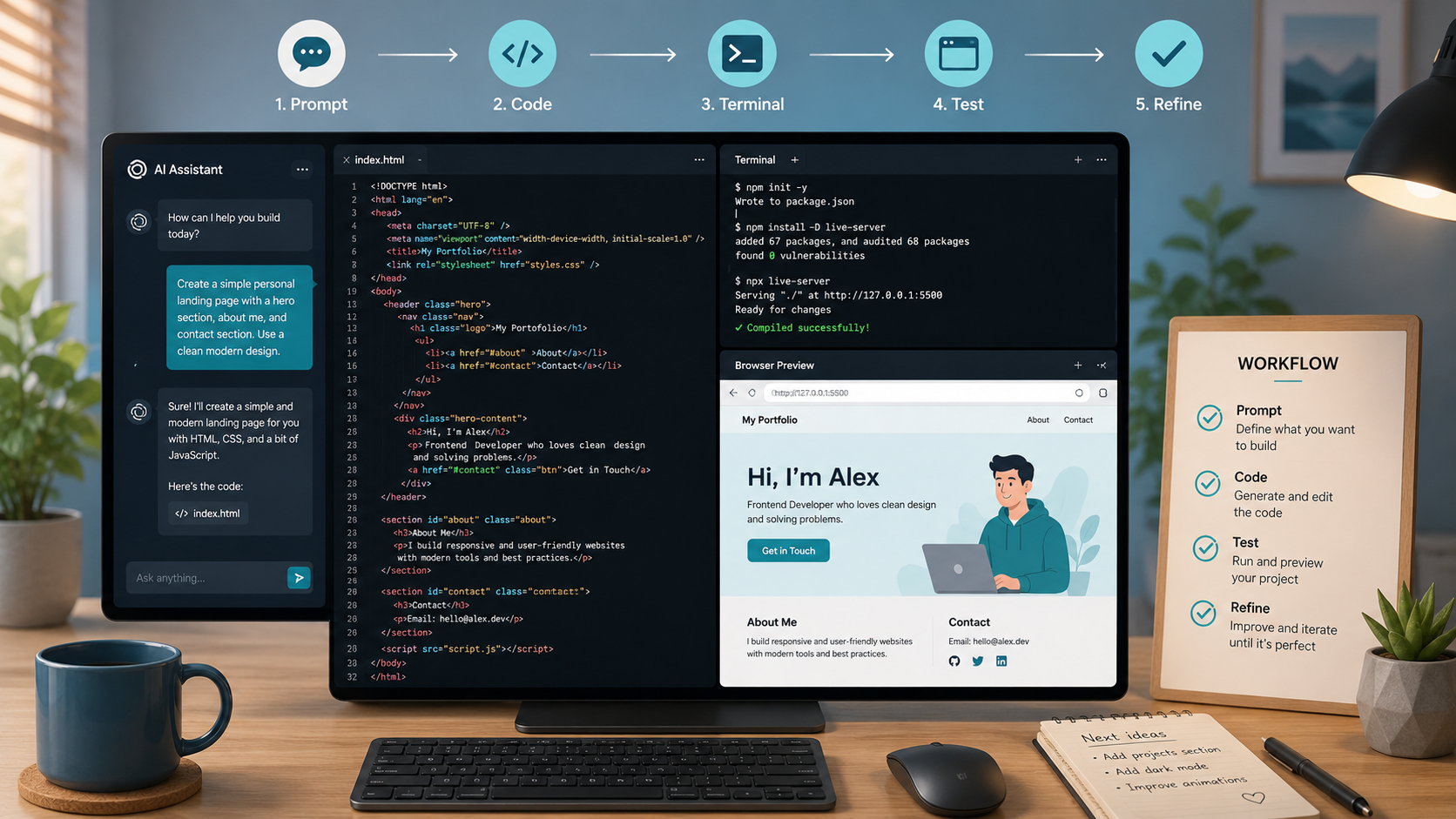
A simple workflow might be:
- Start from a working project.
- Make one small change.
- Run the project locally.
- Test the behaviour.
- Save the working version.
- Then continue.
This is why Vibe Code Academy teaches a local-first workflow. Beginners need a calm place to test, break, fix and understand what is happening before worrying about the live version.
If this setup language feels unfamiliar, Start Here gives you a clearer mental map before you begin.
Mistake 6: Expecting AI to replace judgement
The sixth mistake is expecting AI to make all the decisions.
AI can help with a lot.
It can explain a concept. It can suggest code. It can debug an error. It can help plan a feature. It can compare approaches. It can help you improve a rough draft.
But it does not remove the need for human judgement.
You still need to decide:
- What problem you are solving.
- Who the product is for.
- What the smallest useful version should be.
- Whether the code fits your project.
- Whether the feature is needed now.
- Whether the behaviour works.
- Whether the result is safe enough to continue.
- Whether you understand enough to build on top of it.
This does not mean beginners need to think like senior engineers from day one.
It means they should stay involved.
A weak prompt hands over judgement:
Add everything this app needs to be production-ready.
A better prompt keeps judgement in the loop:
I am building a first version of a small booking website. Help me decide the next useful feature, explain the trade-offs, and suggest one small technical step I can test locally.
That is a different relationship with AI.
You are not asking it to replace your thinking. You are asking it to support your thinking.
This is the heart of AI-assisted coding.
The learner gives direction. The AI helps. The learner checks the output. The project gives feedback. The learner improves the result.
That is much safer than passive prompting.
A better way to code with AI
The six mistakes above are normal.
They do not mean you are bad at coding. They do not mean AI tools are bad. They do not mean you should stop trying.
They mean you need a clearer way to work.
A beginner-friendly AI-assisted coding workflow looks like this:
- Describe the problem.
- Choose one small step.
- Ask AI for help with that step.
- Ask what will change before adding code.
- Make the change carefully.
- Run the project locally.
- Test the behaviour.
- Read any errors.
- Ask for an explanation if something breaks.
- Save the working version.
- Improve from there.
This is not glamorous, but it works.
It keeps the project understandable. It makes errors less scary. It helps you learn from the output instead of only collecting it.
It also makes AI more useful because your questions become clearer and your feedback becomes more specific.
Instead of asking AI to build everything, you learn to guide the next step.
Instead of copying blindly, you inspect.
Instead of ignoring errors, you read them.
Instead of rushing to the full product, you build the smallest useful version.
Instead of expecting AI to replace judgement, you use AI as a coding partner.
That is the shift that matters.
Final thought
AI can make coding more accessible, but beginners still need workflow.
Most early frustration comes from trying to move too fast without enough structure. The fix is not to slow everything down forever. The fix is to create a repeatable loop that helps you keep moving safely.
Describe the problem. Make one small change. Test it. Understand what happened. Save the working version. Continue.
That is how coding with AI becomes less chaotic and more learnable.
If you want a calmer route into this way of working, Vibe Code Academy’s guide to learning coding with AI is a useful next step. If you are ready for a structured pathway, the AI coding course explains how VCA teaches the workflow around AI-assisted building, not just the prompts.
Start building with Vibe Code Academy
Explore the free foundation, shape your idea, or see how the VCA learning path works.